25afbf
Facebook Pinterest Instagram Teachers Pay Teachers Blog Lovin' Image Map

Saturday, August 29, 2020

Live Virtual Lessons: Challenge Problems

This week I've been sharing different ideas for your live virtual lessons. Today's video is about using challenge problems to engage your kids in rigorous problem solving while fostering risk taking and helping kids verbalize their problem solving strategies. 

Watch the video below to hear how I plan to use challenge problems in my virtual classroom this year. Then leave a comment and let me know if they will work in your classroom. 


Thursday, August 27, 2020

Live Virtual Lessons: 3 Act Tasks

 This week is all about ways you can engage your students during your math virtual lessons. In a typical year, 3 Act Tasks are a huge part of my daily class math meetings. You can read all about how I use them in this blog post: https://www.teachingredefined.com/2019/08/math-workshop-using-3-act-tasks.html

But I wanted to take some time to talk to you about how this would work in a virtual setting. Obviously, things aren't going to go exactly the same way, but that doesn't mean you have to shy away from your usual resources/lessons. 

So watch the video below to hear how I plan to use 3 Act Tasks in my virtual math lessons: 


Leave a comment and let me know what you think about using 3 act tasks in your virtual lessons. What questions or concerns do you have about the technology? I'm here to help!

Wednesday, August 26, 2020

Live Virtual Lessons: Place Value Games

 This week I'm sharing quick and easy ideas for your math live virtual lessons. Today's video is all about using a simple place value game called "The Greatest Number". 

Watch the video below to learn how to play the game and how to incorporate the game into your virtual lessons. 


Be sure to follow me on Instagram @teachingredefined for more ideas for your virtual/hybrid/social distanced classroom. I promise to continue to bring you great ideas in a chaotic toddler-filled setting ; )

Leave a comment and let me know what your virtual lessons will look like!

Sunday, August 23, 2020

Whole Class Math Meetings

I've been using a flipped model in my math class since 2013. (Want to know more? Check out this post). That means that my whole group instruction has been replaced with short instructional videos. However, it does not mean that I don't meet with my class whole group at the beginning of our math workshop time. I just use that time differently now. 

As my school moves to virtual instruction to start the year (and with some students choosing this method for the foreseeable future), our district has designed a day where students tune in for a live lesson at the beginning of an instructional block. This lesson is also recorded for students who can't make the live time. So I had to stop and think - would there still be a way to do a flipped model in this style? Or would the live lesson replace my instructional videos? 

My biggest concern was the very reason why I switched to instructional videos in the first place - how would I keep students engaged while I lectured? And do I need to completely shift away from a workshop model or is there a way to keep things similar even with virtual learning? 

One of my favorite things about using a flipped model is that gone are the days of me standing at the front of the room while my students take notes. Trying to teach while ensuring that they are taking notes, that I'm not going too fast for slow students or too slow for fast students. That they're actually paying attention. That the lesson doesn't last too long. That I answer questions, but also keep the lesson moving along. You know the struggle. 

I can only imagine the added difficulty of this when I'm teaching to a computer screen and my students are staring at a screen that also has the faces of all their classmates staring back at them, along with whatever distractions are in their home. And it's not so easy to see that they're taking notes, or paying attention, or for them to feel comfortable asking questions. 

So the question remains, if I don't use my live lessons for teaching new content - what will it look like? 

I plan to treat the live lessons the same way I treated my whole group time in person - as a class math meeting. These meetings are a time for our class to come together and work challenge problems, play math games, work through engaging real-world problems, do number talks, or practice an activity they'll do on their own later. During these meetings students are active participants and it's a way to practice the current skill in a more play-based/discussion based format. 

Over the next week I'll be sharing tips for running successful math meetings - and they'll all be virtual learning friendly!

Leave a comment and let me know: will you be conducting live lessons with your virtual learners? 

Sunday, August 16, 2020

Edpuzzle for Flipped Video Lessons

If you're just getting started with flipped lessons an easy tech tool to use is Edpuzzle. Edpuzzle is a website that allows you to embed questions into videos and assign them as lessons to your students. It's a great way to hold students accountable for watching videos and works nicely with Google Classroom. 

There are few things I like about Edpuzzle - especially with remote learning: 

Last spring when I was assigning video lessons, my students had a lot of trouble with videos loading when I shared a video via Google Drive or straight in Google Classroom. However, if I uploaded the same video to Edpuzzle they were able to watch it without any problems. 

You can upload your own videos or use videos you find online. However, be sure you're aware of your school's policy on sharing online videos. Youtube videos are blocked for my students so even if I put the YouTube video in Edpuzzle, my kids won't be able to watch the video on their school-issued device. 

Edpuzzle allows you to insert questions throughout the video. The video will pause and force students to answer a question before moving on. This is a great way to ensure your kids are paying attention to the video or to also grade students on the video content. On the free version you're able to insert multiple choice questions or short answer. 

Edpuzzle has some great tutorial videos to help you get started. You can check them out here: https://go.edpuzzle.com/resources_teachers_getstarted.html

Have you used Edpuzzle with your kids? What do you love? What do you wish was different? What questions do you have? Leave a comment and let me know. 


Sunday, August 9, 2020

Introducing Video Lessons

 This school year many teachers will find themselves using video lessons for the first time. Some will be teaching entirely online, while others will be using video lessons in combination with in-person teaching. 


I started using video lessons as part of an in-class flip for my math workshop back in 2013. I get asked all the time about implementing video lessons and my biggest piece of advice is to be intentional about how you start the year. Just like we set clear expectations for other parts of our school day, we need to set clear expectations for video lessons. 


Usually I introduce math workshop (which includes video lessons) during the first week of school, often on day 2or 3. We start with a concept that is related to our first topic, but is a review skill. For example, we usually start the year with place value so I’ll begin by reviewing 6-digit numbers (a skill they learned the year before). This way we can focus on the process of workshop without the added challenge of new content. It’s also a great way to get them thinking about math again. 


The first day that we watch a video lesson, I gather the students on the rug and play the lesson for the whole class. As I play the lesson, I pause and model my thinking as I complete the notes page that goes with the video. The kids fill in the notes page along with me. 


After we watch the video and complete our notes page, we review the process. What did they notice about how I watch video lessons? As we debrief/discuss I create an anchor chart for video lessons. A lot of times this takes the format of a t-chart with the headings “looks like”/”sounds like”. 


The second day we do a video lesson, I start by having the class gather on the rug and we review the anchor chart for watching video lessons. Then we walk through how they will find the video and again go over my expectations (wear headphones, taking notes as you watch, pause when you need to, rewind if you need to, etc.). I then send them off to watch the video while I circulate the room giving reminders when needed. After everyone is done, we come back to the rug and debrief again. 


Okay great, that’s a normal year. So what about if we’re learning virtually?? 


My school will be utilizing a lot of live lessons, but even though there will be live lessons there will still be times when kids are watching a video (or a replay of the live lesson) and I want to set clear expectations for both live virtual lessons and recorded lessons. 


I plan to follow much of the same process as I’ve done in person. I will model and “think aloud” what I expect. For recorded lessons, I plan on showing a video through my screen share and modeling for students what they should be doing when they watch a video lesson. 


Want to know more about how I launch math workshop? 

Check out my launching math workshop series


Need more information on video lessons/flipped models? I have a *free* course that will teach you everything you need to know. Check it out here


Sunday, August 2, 2020

Blended Math Workshop

I’ve been doing a lot of thinking about what math workshop will look like this year. Is it even possible? There are still so many unknowns, even as the start of the school year quickly approaches.


For my school, the *current* plan (seems to change by the day) is to start the year virtual for 3 weeks and then offer both in-person and virtual learning. Parents will choose the model they want for each 9-week grading period. 


In-person learning will also look very different with students staying apart from each other, no sharing of materials, and wearing masks all day. 


While I am certainly no expert in how to teach in a socially distanced classroom or an entirely virtual one, the blended workshop model I’ve been using for years (which includes video lessons) makes this challenge a little less overwhelming. 


Click below to watch my video where I discuss my typical blended workshop model along with thoughts and ideas for the current school year. 


After you watch, leave a comment with what your year will look like and your biggest challenges with incorporating math workshop.

Wednesday, January 15, 2020

Teaching with Technology: Buzzwords 101

It seems like everyday there is a new buzzword being thrown around in the educational world and the influx of educational technology is only making for more terms to keep track of. Here I’ll break down some of the top buzz words for anyone wanting to learn more about a flipped classroom. 

Flipped classroom: a traditional flipped classroom means students watch a video lesson for homework and then complete more traditional homework (example: practice problems) in class with the teacher available for support

Modified flipped classroom: a modified flipped classroom takes the basic premise of a flipped classroom and modifies it in someway; for example students may watch video lessons during class time (in-class flip) as part of a workshop model

1:1 this simply means that the school has provided one device per student in the classroom

Blended learning: combines online learning with classroom (face-to-face) learning

Adaptive learning: a software that adapts content and pacing for students based on their individual knowledge or needs

As always in education, we tend to overcomplicate things. You may find that you have a blended classroom without even realizing! Are you curious how to incorporate video lessons into your blended classroom? Check out my flipped classroom quick start guide - it will walk you through all the steps you need to start flipping some of your lessons. This can be a powerful tool, even if you only use it on occasion. Grab the guide below:

Sunday, September 29, 2019

Launching Math Workshop Part 4


Just joining in? Check out the rest of this blog series!

Read on to find out what day 4 of math workshop looks like
{and get a sample set of Google Slides}

By day 4, I'm just excited that I've made it to the end of the first week! I'm also amazed by how well my kids are doing with math workshop. The structure is very different than what they're used to and there's a lot for them to figure out.

Day 4 is all about creating workshop rules & becoming independent.

Before the kids start working, we add to our anchor chart with our math workshop rules. The class helps decide on the rules based on their experiences throughout the week. 

Once we've reviewed the rules and the structure of math workshop, I have the kids hold up a number to show me what slide they are on in our Google Slides. (Wondering what I mean by Google Slides? Check out this post).

Then we spend the rest of the time working on finishing up the activities. 

At this point, I am still just walking around monitoring students, troubleshooting, and helping with the content. 

I do try to always guide students back to reading the directions when they have questions. I want to foster independence so they’ll be ready when I start pulling my groups in a few weeks. 

That ends my week of launching math workshop! Over the next couple of weeks I'll be reinforcing routines with students and helping them understand where and how to turn their work in. By the 3rd week, I'll start pulling my guided math groups. 

Want to try it out in your class? You can grab a free sample of my most popular set of activities for place value - Compare & Order numbers

Sunday, September 22, 2019

Launching Math Workshop Part 3


If you missed the first 2 parts of the series, you can check them out here:
Read on to find out what the 3rd day of math workshop looks like
{and get a free flipped lesson}

Day 3 is all about gradually releasing responsibility. 

I start off by having the kids talk about what we did the day before in math workshop. Through our discussion, they remember that we used Google Slides and that they watched a math video. 

Wondering what I mean by Google Slides for math workshop? Check out this post

Then I let them know that today they'll be watching a video on their own. 

We are using Google Classroom this year, so I shared the Google Slides with my classes through that website. So to start off, the kids get onto Google Classroom and we walk through finding the Google Slides. 

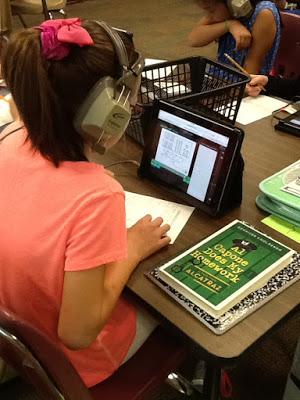
Once everyone has found the instructional video (included in their Google Slides), we quickly review our anchor chart on watching videos. Then, they grab their headphones, spread out & get started. 

I walk around while they're watching the videos and make sure they're:
1. actually watching it
2. not experiencing any technical difficulties
3. remembering to complete their anchor chart

For today, I have them go back to their desks and read a book when they're finished. Once everyone has finished, we glue our charts in their journals and quickly review how the process went. 

You can grab the video and anchor chart that we used for free here:


Then we look at the directions for the next activity together. I model what the activity will look like and where they will find the math tools. We don't spend a lot of time talking about the rules for workshop yet. That will come tomorrow.

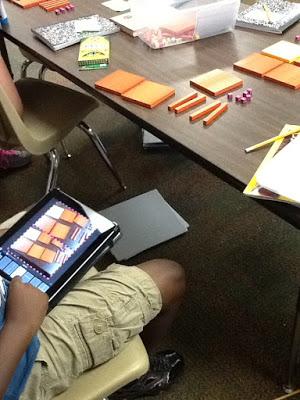
Once everyone understands what they need to do, they spread out again and get started on the activity. The activity they did was using place value blocks to build a number. Then they took pictures of each number and put them into PicCollage. Finally, they added the expanded notation for each number into their collage. 

Not everyone finished, but that was okay. I let them know that they will always have 2 days to work on the activities in the Google Slides.


Sunday, September 15, 2019

Launching Math Workshop Part 2


If you missed part one of this series, be sure to check it out here to find out what I do on the first day of math workshop.

Read on to find out what the 2nd day of math workshop looks like & grab a free lesson.

For me, day 2 is all about *modeling*. When I taught first grade, I did so much modeling at the beginning of the year. Who can show me how to push your chair in correctly? Let’s practice…

With 4th graders, some of those basics don’t require as much explicit instruction, but when it comes to workshop I channel my inner first grade teacher. Workshop for math is new for a lot of my students - I have to be very clear in what I expect. 

I start off by briefly explaining to the students what math workshop will look like this year:
*We'll use Google Slides and Google Classroom for their directions 
*They'll watch an instructional video for their lesson
*I'll be pulling groups every day

Then we pull up our first set of Google Slides. Since our 1st unit is place value, I introduce workshop with a place value review.

Every set of activities will start with a video. I've found my kids focus better watching a short video than they do with the distractions of a whole class mini-lesson. I can also get the information across in a shorter time in a video. For more on how I use video lessons, check out this post

I'll show the video whole class and we'll pause the video and fill out our anchor charts together. (I make a student copy of the anchor chart for each video). I do lots of "think alouds" during the video and make sure the kids really understand what's expected of them while they're watching an instructional video. 

After we've all completed our anchor charts & glued them into our journals, we make an anchor chart on watching instructional videos. 

Then I have the students think-pair-share what they think they'll be doing for the next activity in the Google Slide. They work on the 2nd activity, which incorporates their iPads, on their own. During this time I walk around the room & provide feedback. 

Once everyone has finished, we come back together and discuss the final activity in Google Slides. Again, they complete it on their own as I walk around the room. 

Once they're finished, we come back together and discuss things that went well & things that need to change for the next day. 

I tried to choose activities that all students should be able to complete independently, even if they're below level. 

You can download all of the materials for these activities here for FREE.


Sunday, September 8, 2019

Launching Math Workshop Part 1

I’ve been using a digital, self-paced math workshop structure in my classroom for the last 5 years. When I first started out with this format, I pretty much threw my kids to the wolves... I quickly explained the structure and then let them have at it. While there were some advantages to letting the kids problem solve their way through workshop, I definitely didn't set clear enough expectations (which I paid for later in the year).

We often feel pressured to jump right into content, but if we don’t take the time to build relationships and set expectations at the beginning of the year, it will cost us time later in the year. Kids need to know exactly what we expect of them - we can’t assume that they’ll behave the way we expect if we don’t show them what to do. 

Over the next few weeks, I'll share with you each step of launching math workshop in the upper elementary classroom, starting with the first week of school.

I start launching math workshop on the 2nd day of school. 

Our first math unit this year is place value, so while I'm teaching the routines of workshop I'm also trying to fit in some place value review and instruction. 

So on day 2 of school, I have the kids take a place value pre-test.

The pre-test covers skills from 3rd grade and the new skills they'll learn in 4th grade. I really stress to the kids that this is not for a grade and helps me know what they remember or already know. Grab the pre-test I use for free.

I'll use the data from this pre-test later when I start pulling guided math groups (more on that in this post).

This also gives us a chance to discuss what the classroom looks like and sounds like during independent work. We create an anchor chart that we’ll add to throughout the week as they experience more parts of math workshop. 

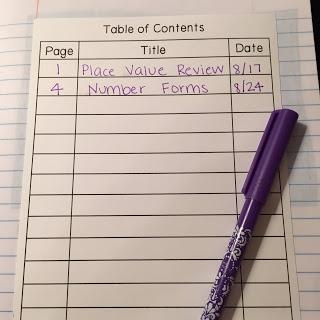
Once everyone has finished their pre-test, we set up our math journals. We glue in the table of contents, number the pages in our journal and then add our very first entry: "Place Value Review".

You can download my table of contents template from Google Drive here.

We'll also spend some time discussing our math journals - where we keep them, how we use them, what they should look like, etc.

There you have it - day 1 of launching math workshop!

Next up: introducing kids to google slides and instructional math videos 

Sunday, September 1, 2019

Math Workshop: Wrapping Up with Exit Tickets

A critical, but often overlooked part of math workshop is the closing activity. Sometimes we (me + the kids) get so caught up in the activities or our small groups that we end up hurried to clean up and move onto the next part of the day. 

However - this closing part is a necessary part of math workshop so I use a lot of timers to ensure we have enough time for a quick wrap up - just 5 minutes is enough. 

One of my favorite ways to wrap up math workshop is with a quick formative assessment, or “exit ticket” over the skill they were practicing. I love to do this using white boards, dry erase markers, and Google Classroom. Check out this video to see how I used this method during our long division unit: 

Sunday, August 25, 2019

Math Workshop: Incorporating Guided Math

Today’s post is all about guided math. Does that phrase induce anxiety, confusion or frustration for you? If so, you’re not alone. 

Guided math comes with a lot of questions: how many groups do you pull? What are the other kids doing? What do you actually do with the groups? 

For me the magic of guided math is not necessarily the activities, but the chance for students to work with me in small groups. Having a structure in place that allows me to pull small groups is crucial (read more about how I use Google slides to create this structure here)

Depending on the unit, the skill, and the group of kids, I pull groups in different ways. Sometimes I pull kids based on formative assessments for reteaching, sometimes I walk around and confer with students about the work they’re doing during workshop. But most of the time, I pull groups for structured guided math lessons. 

Having set groups helps me ensure all the students come to work with me - the kids will help hold me accountable! It also allows me to adjust the work depending on the level of the students. I find this easier to do with some skills than others. When I pull structured guided math groups I stick to a structure for planning the lesson - a game, a worksheet or activity and a quick assessment. Having this structure in place helps lessen the load of planning. 

Want to try out a lesson in your class? Download a free sample of my guided math bundle for place value below

Sunday, August 18, 2019

Math Workshop: Using Google Slides

One of my biggest challenges with incorporating math stations or centers in my classroom was controlling the order of activities. I wanted my students to start with hands-on and move to abstract, but with traditional stations only one group was starting with the hands-on activity and others were starting straight with the abstract worksheet or task cards. 

In 2015 I switched from math stations / math centers to a self-paced math workshop using Google Slides and it completely transformed my math instruction. 

I explain more about how this works along with a peek into some of the activities I use in the video below: 


The students work through the activities at their own pace. I try to follow the concrete -> pictorial -> abstract model for student activities. I also build in extension activities at the end for students who are early finishers.

I give students 2 days to complete the activities for a skill. One day they'll spend part of their time working with me and the other day they'll have the entire 35 minutes to work.

Every year I have students who have more difficulty working at their own pace. I give them some modifications to make sure they stay on track with the activities. However, with coaching and support I have found most students are able to be successful by the end of the year. This style of math workshop really helps them become self-regulated learners. 

Sunday, August 11, 2019

Math Workshop: Using a Flipped Lesson Model


When I started using math workshop one of my biggest challenges was keeping a mini-lesson mini. Some kids needed me to go slow because they’re slow writers. Other kids write fast and get bored waiting for classmates to finish their notes. I’d inevitably have to stop to redirect behavior during the mini-lesson and before we knew it that 5 minute lesson had turned into 25 minutes. Cue video lessons.

I use a flipped classroom model for my 4th grade math workshop. However, I do it a little differently than other flipped classrooms because my students watch the videos in class as part of their math workshop activities. This eliminates any issues of students not having access to technology at home or forgetting to do the homework. 

All of the students start workshop by watching a video lesson that I have previously recorded. They have an anchor chart they have to fill out as they watch the video. I've been using a screen capturing app (Doceri) on my ipad to record the videos. They're pretty basic - it's what I used to do whole class. For each video there's an anchor chart for the kids to fill out. They glue these into their journals. After the video, the kids have different activities to work on. 

Not only has this flipped method help me keep my mini-lessons mini, it has created even more time to pull small groups. I can start pulling groups right away - in fact I usually pull my lower group first, before they even watch the video. I can preteach the lesson and it’s quiet because the other kids are all watching the video independently. 

Want more information on how to flip your classroom? I created a free course teaching you everything you need to know to start flipping your class - even if you just start with 1 or 2 lessons. Sign up for the free course here: 

Sunday, August 4, 2019

Math Workshop: Using 3 Act Tasks

Do your kids like to fly through challenging word problems by just choosing an operation and not slowing down to really think about the problem? This is one of my biggest challenges - getting them to slow down and think. It’s something we work on all year long. 

One tool in my tool belt for getting kids to slow down and stick with a problem is using 3 act tasks as part of our math meeting (we start our math block together on the carpet for about 10 minutes). 

If we want our students to stick with problems, we have to give them problems that are fun to stick with. The 3 act tasks are the kids' favorites because they all start with some sort of engaging video clip or image that gets kids excited, curious and talking. 

I like to spread the 3 act tasks out over the week so that I can keep our math meeting short. 
*Monday - we start with act one and I make an anchor chart with things that they're wondering or noticing and then they make some estimates - too low, just right, too high 
*Tuesday -  I give them a little bit more information from Act 2 and we add that to the class anchor chart 
*Wednesday & Thursday - They get the rest of the information that they need to solve the problem. 
*Friday - they get to find out if they were correct. If students got it right, they get to share out their strategies. If no one figured it out, we talk about how to get the answer. 

If you want a little more information about how this looks in my class, you can watch this video of me explaining how I used the “Where’s the Beef” task:


Once we’ve done some 3 act tasks together as a class and they understand how they work, I let some students work on them in pairs as extension during other parts of the day. For this I use a Google Doc Hyperdoc for them to keep track of their thinking. This is a great way to differentiate because you can have kids working on different levels of 3 act tasks. 

You can grab that free resource here: